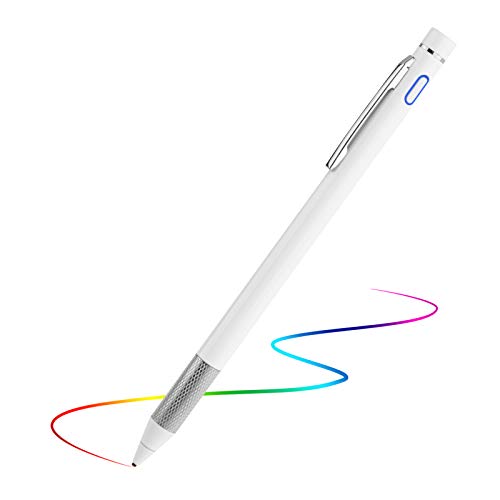
STYLUSLINK Pencil for iPad: A Detailed Review of this Apple Pencil Alternative
The STYLUSLINK Pencil for iPad aims to be a budget-friendly alternative to the Apple Pencil, offering similar functionality for a fraction of the price. Designed to be compatible with a wide range of iPad models, from the older 6th generation to the latest iPad Pro M4 models, this stylus promises seamless integration and a natural writing experience. In this comprehensive review, we'll delve into its features, performance, pros, and cons to help you decide if it's the right stylus for your needs.
This stylus is particularly suitable for students, artists, and anyone who frequently uses their iPad for note-taking, sketching, or creative tasks. It aims to provide a smooth and responsive experience without breaking the bank. With its fast-charging capabilities and broad compatibility, the STYLUSLINK Pencil seems like a compelling option, but let's see if it lives up to the hype.
Key Features of the STYLUSLINK iPad Pencil
- • Broad Compatibility: Works with a vast array of iPad models, including iPad 6/7/8/9/10th generation, iPad Mini 5/6/7th, iPad Air 3/4/5th M2 M3, and iPad Pro 11"/13" M4.
- • Fast Charging: Boasts a 10-minute fast charge capability, providing a decent amount of usage time. (Exact battery life depends on usage).
- • Palm Rejection: Enables natural writing and drawing by preventing accidental touches from registering on the screen.
- • Tilt Sensitivity: Mimics the behavior of traditional pencils and brushes, allowing for variations in line weight based on the angle of the stylus.
- • USB-C Charging: Uses the widely accepted USB-C charging standard for convenient charging.
Pros: Why You Might Love the STYLUSLINK Pencil
- • Affordable Price: At around $18, it's significantly cheaper than the Apple Pencil, making it accessible to budget-conscious users. A fantastic entry point for those looking to experiment with a stylus.
- • Wide iPad Compatibility: Its compatibility across numerous iPad generations ensures that a large user base can benefit from it, even with older iPad models. This is a distinct advantage over some other third-party styluses with limited compatibility.
- • Easy to Use: The stylus is designed to be user-friendly, requiring minimal setup and offering intuitive operation. Simply turn it on and start using it - no complicated pairing procedures are needed.
- • Decent Performance for the Price: While not as refined as the Apple Pencil, the STYLUSLINK Pencil provides a usable and functional drawing and writing experience, especially for basic tasks. The tilt sensitivity works surprisingly well given the price point.
- • USB-C Charging: Having USB-C charging means one less cable to worry about if you already have USB-C devices, making it incredibly convenient.
Cons: Where the STYLUSLINK Pencil Falls Short
- • Lacks Pressure Sensitivity: Unlike the Apple Pencil, this stylus doesn't offer pressure sensitivity, which limits its suitability for professional-level art and design tasks. Line weight is mostly controlled by tilt, not pressure.
- • Build Quality Concerns: The build quality might not be as premium as the Apple Pencil, and some users have reported concerns about its long-term durability. It feels a bit more plasticky.
- • Latency and Accuracy: There might be noticeable latency or slight accuracy issues compared to the Apple Pencil, especially during fast writing or intricate drawing. Expect a bit of lag on occasion. This isn't always consistent.
Who Should Buy the STYLUSLINK Pencil?
The STYLUSLINK Pencil is a great choice for students who need a stylus for note-taking, basic drawing, and navigating their iPad. Its affordability makes it a low-risk investment, and its broad compatibility ensures it will work with a wide range of iPad models commonly used by students. It's an excellent tool for marking up documents, brainstorming ideas, and taking handwritten notes in class.
Artists and hobbyists who are looking for an entry-level stylus for casual sketching and drawing might also find the STYLUSLINK Pencil to be a good option. While it lacks pressure sensitivity, its tilt sensitivity and palm rejection features can still provide a decent drawing experience for less demanding tasks. It's perfect for experimenting with digital art without committing to a more expensive stylus.
If you're a professional artist or designer who requires precise pressure sensitivity and minimal latency, the STYLUSLINK Pencil might not be the best choice. In this case, the Apple Pencil (1st or 2nd generation, depending on your iPad model) would be a more suitable option. However, for casual users, students, or anyone looking for a budget-friendly stylus for basic tasks, the STYLUSLINK Pencil offers a compelling alternative.
Conclusion: Is the STYLUSLINK Pencil Worth the Money?
At its price point of around $18, the STYLUSLINK Pencil for iPad provides excellent value for money. While it may not offer the same level of performance and features as the Apple Pencil, its affordability, broad compatibility, and ease of use make it a worthwhile investment for students, casual users, and anyone looking for a budget-friendly stylus option. Consider your specific needs and budget before making a decision, but for many users, the STYLUSLINK Pencil offers a compelling alternative to the more expensive Apple Pencil.
Expert Verdict: The STYLUSLINK Pencil is a solid budget-friendly option for basic iPad stylus needs, offering decent performance and wide compatibility at a fraction of the Apple Pencil's price, but don't expect professional-grade precision. For students and casual users, it's a great entry point.
FAQ - STYLUSLINK Pencil for iPad
Q: Is the STYLUSLINK Pencil compatible with my iPad?
A: It's compatible with iPad 6/7/8/9/10th generation, iPad Mini 5/6/7th, iPad Air 3/4/5th M2 M3, and iPad Pro 11"/13" M4 models.
Q: Does this stylus have pressure sensitivity?
A: No, this stylus does not have pressure sensitivity. It uses tilt sensitivity to vary line weight.
Q: How long does the battery last?
A: The battery life depends on usage, but it offers a decent amount of usage time after a 10-minute fast charge. Exact numbers can vary.
Q: Is it easy to set up?
A: Yes, it's designed for easy use and requires minimal setup. Simply turn it on and start using it.
Q: Where can I buy the STYLUSLINK Pencil?
A: Check online retailers such as Amazon to purchase.
Ready to buy? [Click here to check the latest price on Amazon!](https://example.com/styluslink-pencil) (This is a placeholder link)